
For players in the United Kingdom, accessing an online casino without installing an app can be a convenient way to play. Bwin’s browser-based casino experience is designed to work on compatible smartphones, tablets and computers, letting customers open the site and play without downloading dedicated software. The exact games, promotions and features available can change, so it is sensible to check the current Bwin website and its terms before signing up or depositing.
This review looks at how a no-download casino session works in practice, what players should check before getting started, and how a Bwin promo code may fit into the process. It also covers account security, responsible gambling and common questions for UK players. For a direct route to information, gb.bwinpromocode-uk.com is a useful address to keep in mind; verify any offer details against Bwin’s official terms before using them.
What “no download” means
A no-download casino runs through a web browser rather than a separately installed casino application. You visit the operator’s website, sign in or create an account, and choose a game from the available lobby. The browser loads the casino interface and communicates with the operator’s systems to display games, account details and transactions.
This approach avoids using phone storage for a dedicated app and can make it easier to move between devices. It does not mean that every game is available on every browser, or that a connection is unnecessary. A stable internet connection, an up-to-date browser and a device that meets the game provider’s requirements are still important. Some games may also open in a separate browser window or require permission for features such as sound.
Using Bwin in a browser
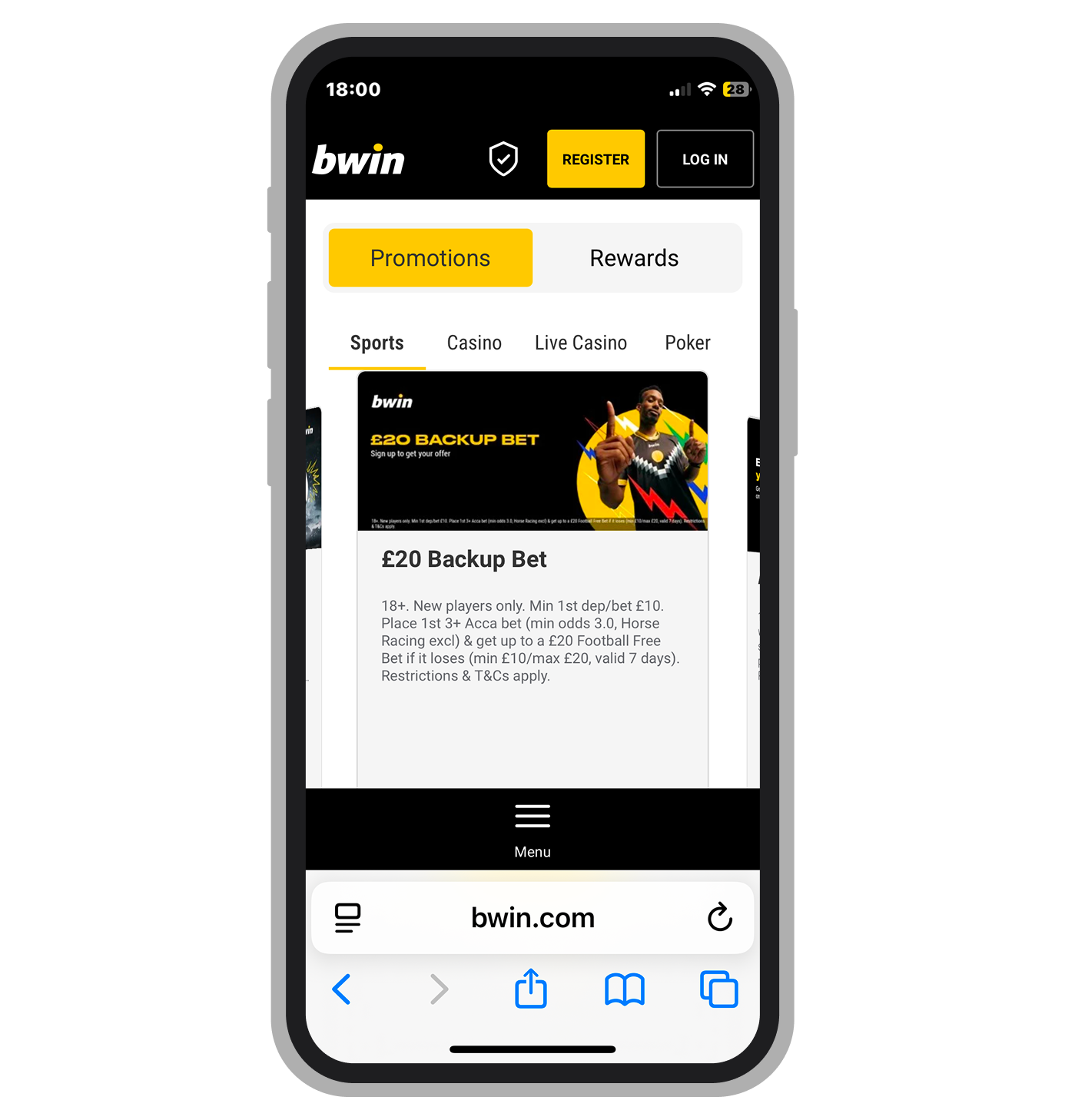
Getting started
- Visit the official site. Check that the web address is correct and that the page uses a secure connection. Avoid links from unsolicited messages or unfamiliar adverts.
- Check eligibility. Online gambling in Great Britain is for adults aged 18 or over. Bwin’s registration process may ask for personal details and identity or age verification.
- Create an account or sign in. Use accurate information and a password you do not reuse elsewhere. Follow any verification instructions shown in your account.
- Review the cashier and promotions. Check available payment methods, minimum and maximum transaction limits, processing times, and the terms of any offer before depositing.
- Choose a game. Browse the casino lobby, open a game, and confirm its rules, stakes and features before placing a bet.
Once a game is open, play usually takes place within the browser. The game provider’s software handles the game display, while the casino account records wagers and results. If a page freezes or a connection drops, avoid repeatedly submitting a payment or bet. First check your account history and contact customer support if a transaction or game round appears unresolved.
Browser and device tips
For a smoother session, keep your browser and operating system updated, close unused tabs, and use a trusted private connection. Public Wi-Fi can expose you to extra security risks, particularly when you are signing in or handling payments. Never save account credentials on a shared device, and remember to sign out when you finish.
If a game will not load, try refreshing once, checking your connection or using another supported browser. Clearing browser data may help with technical problems, but it can also sign you out. If the problem continues, consult Bwin support rather than installing software from an unofficial source. A no-download experience should not require a third-party file from an unknown website.
Bwin promo codes: what to check
A Bwin promo code may be offered as part of a promotion, but offers are not guaranteed to be available to every customer or at all times. A code may apply to a specific product, account type, location or qualifying deposit. Some promotions are available only through a designated sign-up route, while others require the code to be entered during registration or claimed from a promotions page.
Before using a code, read the complete terms. Pay particular attention to the expiry date, minimum deposit, eligible payment methods, wagering requirements, maximum bonus amount, game contribution rules and any withdrawal restrictions. Check whether the offer is for new customers only and whether opting in is required. If a code does not appear to apply, do not assume that a bonus has been added: review the account’s promotion area or contact support before spending money in expectation of it.
Promotional funds are not the same as cash. A bonus can have conditions attached, and meeting those conditions may require wagering before winnings become withdrawable. Compare the offer with your own budget and skip it if the terms are unclear or the play required would be unsuitable. Never deposit more than you can afford to lose to qualify for a promotion.
Games, payments and account controls
A browser casino lobby may include slots, table games and other formats, depending on what Bwin currently offers in the UK. Each game has its own rules and mechanics. In slots, for example, paylines, bonus rounds, volatility and return-to-player information vary by title. These details describe how a game is designed over time; they do not predict the result of an individual spin or guarantee a return.
Payment options can also vary. The cashier is the best place to confirm which methods are currently supported for UK customers, along with any limits or processing times. Use a payment method in your own name, check the transaction details before confirming, and keep an eye on both casino account activity and payment statements. If a deposit is delayed, contact support with the transaction information rather than making repeated deposits.
UK-licensed gambling businesses must provide tools and information to support safer gambling. Depending on the account and the operator’s current features, these may include deposit limits, time reminders, time-outs and self-exclusion. Set limits before play, take breaks, and stop if gambling is affecting your finances or wellbeing. Gambling should be treated as paid entertainment, not as a way to earn money or solve financial problems.
Questions and answers
Do I need to install an app to play Bwin casino games?
A compatible browser can provide access to the browser-based casino without installing a dedicated app. Game availability and performance depend on the device, browser and current Bwin service. Check the site’s help information if a particular game does not load.
Can I use a Bwin promo code after creating an account?
It depends on the offer. Some promotions require a code during registration, while others can be activated later or are automatically applied to eligible accounts. Read the promotion’s terms and follow the stated claim process. Do not assume a code worked until you can see the offer confirmed in your account.
Is playing without a download safer?
Not automatically. A browser session avoids installing a separate casino app, but account safety still depends on using the genuine website, protecting your password, keeping your device updated and avoiding suspicious links. Use secure connections and contact official support if you notice unusual account activity.
What should I do if a game freezes?
Wait briefly, check your connection and review your game or transaction history before trying again. If a round or payment appears unresolved, record the approximate time and game name, then contact customer support. Avoid making another bet simply because the page has stopped responding.
Practical verdict
Using Bwin’s casino in a browser can suit UK players who prefer not to install an app. The basic process is straightforward: access the site, sign in, select a game and play through a compatible browser. The convenience is balanced by the usual requirements of online gambling: account verification, a dependable connection, careful payment checks and attention to game rules.
A promo code can add value only when its conditions fit the player’s plans. Check eligibility and restrictions first, and never treat a bonus as guaranteed profit. The most practical approach is to confirm current information on Bwin’s official pages, use account controls to set clear limits and keep gambling within a budget intended for entertainment. If browser access, an offer or a transaction behaves differently than expected, pause and ask support before proceeding.